iPhone Display Longevity: Extending the Life of Your OLED Screen
iPhone Display Longevity: Extending the Life of Your OLED Screen
The iPhone's display is arguably its most crucial component, serving as the primary interface for all interactions. While Apple has consistently pushed the boundaries of display technology, particularly with OLED panels in recent years, understanding how to maximize the longevity of these screens is essential for long-term user satisfaction.
Editor's pick: iPhone screen protectors on Amazon → As an Amazon Associate, this site earns from qualifying purchases.
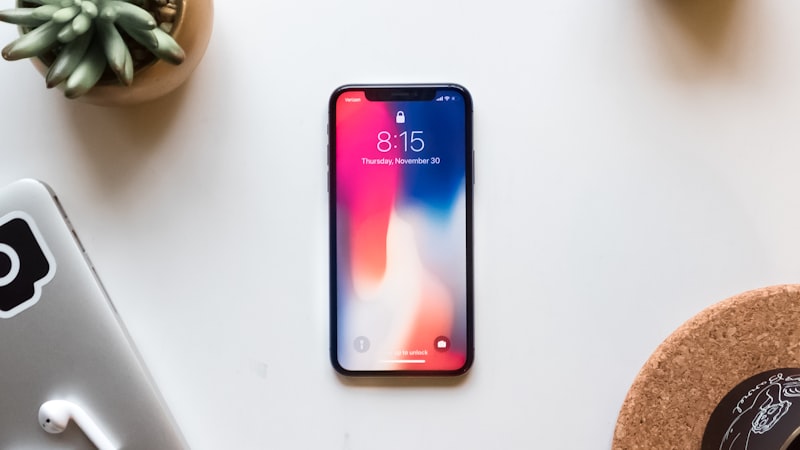
OLED (Organic Light Emitting Diode) displays offer superior contrast, vibrant colors, and excellent viewing angles compared to traditional LCDs. However, OLED technology is inherently susceptible to degradation over time. The organic materials within the diodes gradually lose their luminance, leading to potential color shifts, reduced brightness, and, in extreme cases, burn-in.
Understanding OLED Degradation
OLED degradation is a natural process influenced by several factors:
- Usage Patterns: Frequent display usage, especially at high brightness levels, accelerates degradation.
- Static Content: Displaying static elements, such as status bar icons or on-screen buttons, for extended periods can lead to uneven wear and potential burn-in.
- Environmental Factors: High temperatures can negatively impact OLED lifespan.
Mitigating OLED Degradation: Practical Strategies
While OLED degradation is unavoidable, adopting certain practices can significantly extend the lifespan of your iPhone's display:
- Optimize Brightness: Reduce screen brightness to a comfortable level, particularly in dimly lit environments. Enabling Auto-Brightness allows the iPhone to automatically adjust brightness based on ambient lighting conditions.
- Utilize Dark Mode: Dark Mode inverts the color scheme, displaying light text on a dark background. This reduces the overall power consumption of the OLED panel and minimizes the stress on individual pixels.
- Minimize Static Content Exposure: Be mindful of apps that display persistent static elements. Consider rearranging icons or using apps that offer dynamic interfaces.
- Enable Auto-Lock: Shorten the Auto-Lock timer to automatically turn off the display when the iPhone is not in use. This prevents unnecessary screen-on time.
- Avoid Extreme Temperatures: Do not expose your iPhone to extreme heat or direct sunlight for prolonged periods.
Screen Protectors and Their Impact
While screen protectors primarily safeguard against scratches and impacts, they can indirectly influence display longevity. A high-quality screen protector with an oleophobic coating can help to resist fingerprints and smudges, potentially reducing the need for frequent cleaning and the associated wear and tear on the display's surface. As we explored in our analysis of screen protectors at iPhone View, choosing the right type of protector can also maintain optimal screen clarity and touch sensitivity.
Warranty and Repair Options
Apple's standard warranty covers manufacturing defects in the display, but it typically does not cover degradation caused by normal usage. AppleCare+ provides extended coverage that may address certain display issues, depending on the specific terms and conditions. If your iPhone's display exhibits significant degradation outside of the warranty period, consider exploring Apple's out-of-warranty repair options or third-party repair services. However, ensure that any repair service uses genuine Apple parts to maintain display quality and performance.
Conclusion
By understanding the factors that contribute to OLED degradation and implementing the strategies outlined above, iPhone users can significantly extend the lifespan of their devices' displays. While OLED technology offers exceptional visual quality, proactive maintenance and responsible usage habits are key to ensuring long-term satisfaction and maximizing the investment in your iPhone.
Questions readers ask
What does display longevity extending oled actually cost — in price, weight, or battery?
Expect a premium of roughly $200–300 over the standard model, plus a small weight penalty. Battery life is the bigger variable — early prototypes typically trade an hour or two of screen-on time for the new capability, then claw it back over a generation.
How does display longevity extending oled change the upgrade calculus for existing owners?
Existing owners weigh display longevity extending oled against the upgrade they were already planning. If the feature is meaningful for daily use, it pulls forward upgrades by about a year; if it is novelty, it shifts nothing.
Does display longevity extending oled require new developer APIs, or can existing apps adapt?
Apple historically ships a quiet developer API the year before the hardware lands, so existing apps that follow human-interface guidelines should adapt with modest work. Apps that hard-code layouts will need updates.
What would convince a sceptical reviewer that display longevity extending oled is worth it?
Hands-on time is the only honest test. A reviewer's first hour with the device tells them whether display longevity extending oled is solving a real problem they had, or a feature looking for a use case. The reviews following launch will be the verdict.
In short — what's the takeaway on screen protectors and their impact?
It comes back to whether Apple can ship display longevity extending oled without compromising the parts of the iPhone people already pay for. The detail in this section is where that case is made or broken.