iPhone Display Calibration: Achieving Optimal Color Accuracy
Understanding iPhone Display Calibration
The iPhone's display is renowned for its vibrant colors and sharp image quality. However, like all displays, it's subject to manufacturing variations and can drift slightly in color accuracy over time. Display calibration aims to correct these minor inaccuracies, ensuring that what you see on the screen closely matches the intended colors of the content.
Editor's pick: iPhone screen protectors on Amazon → As an Amazon Associate, this site earns from qualifying purchases.
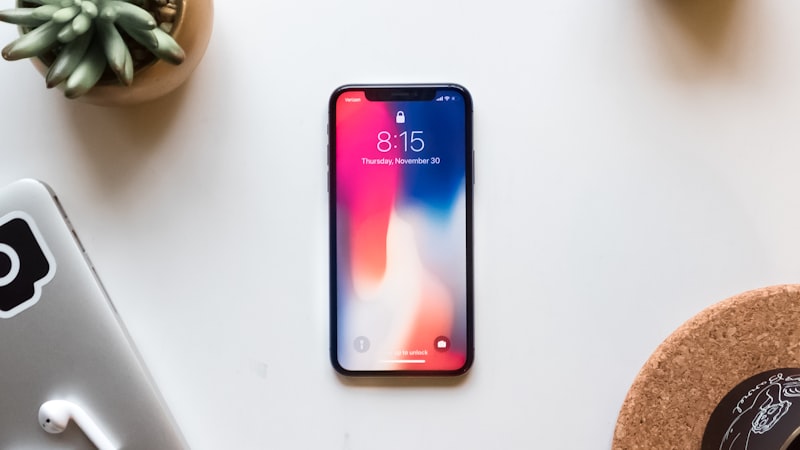
While professional-grade display calibration tools are often associated with photography and video editing workflows on Macs, the iPhone also offers built-in features and third-party apps that allow users to fine-tune their display settings. Understanding these options is key to achieving the most accurate and visually pleasing experience.
Built-in Accessibility Settings for Color Adjustment
Apple provides a range of accessibility settings specifically designed to help users with visual impairments. These settings also offer valuable tools for subtle display calibration. The most relevant settings are found under Settings > Accessibility > Display & Text Size.
Color Filters
The 'Color Filters' option allows users to adjust the color tint of the entire display. While primarily intended for users with colorblindness, it can also be used to subtly correct color casts. For instance, if the display appears too warm (yellowish), adding a slight blue tint can help neutralize it. Users can choose from preset filters like Grayscale, Red/Green, Green/Red, and Blue/Yellow, or use the 'Color Tint' slider to create a custom filter.
Reduce White Point
The 'Reduce White Point' setting decreases the intensity of bright colors, which can be helpful in reducing eye strain or making the display appear less harsh. Lowering the white point can also subtly alter the perceived color balance, making it a useful tool for fine-tuning the display.
Auto-Brightness and True Tone
While not directly related to color calibration, both 'Auto-Brightness' and 'True Tone' significantly impact the perceived color accuracy of the display. 'Auto-Brightness' adjusts the screen brightness based on ambient lighting conditions, while 'True Tone' automatically adapts the display's color temperature to match the surrounding light. Disabling these features can provide a more consistent viewing experience, allowing for more accurate color adjustments using other settings.
Third-Party Apps for Display Analysis and Calibration
Beyond the built-in accessibility settings, several third-party apps offer more advanced tools for display analysis and calibration. These apps typically use the iPhone's camera to measure the ambient lighting and provide recommendations for optimal display settings. While not as precise as professional hardware calibrators, they can offer a significant improvement in color accuracy.
It is important to note that the effectiveness of these apps can vary depending on the ambient lighting conditions and the quality of the iPhone's camera. Always use these apps in a well-lit environment and follow the instructions carefully.
The Importance of Consistent Viewing Conditions
Regardless of the calibration method used, it's crucial to view the iPhone's display under consistent lighting conditions. Calibrating the display in a dimly lit room will result in a different color balance than calibrating it in bright sunlight. Ideally, calibrate the display in a room with neutral lighting and avoid direct sunlight or other strong light sources.
Display Health and Repair Considerations
Display issues such as discoloration, dead pixels, or backlight problems can significantly impact color accuracy. If you suspect that your iPhone's display is damaged, it's important to have it inspected and repaired by a qualified technician. As we explored in our analysis of display technology at iPhone View, the quality of replacement displays can vary, so it's essential to choose a reputable repair service that uses genuine Apple parts or high-quality aftermarket displays.
Conclusion
While the iPhone's display is already highly accurate, subtle adjustments can further improve the viewing experience. By understanding the built-in accessibility settings and exploring third-party apps, users can fine-tune their display settings for optimal color accuracy. Maintaining consistent viewing conditions and addressing any display issues promptly are also crucial for ensuring the best possible visual experience on your iPhone.